Feed:      lowlevel
Post-URL:  http://www.lowlevel.cz/log/pivot/entry.php?id=179


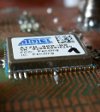
![][1] For programming of Atmel AVR microcontrollers I am using JTAGICE
mkII USB programmer/debugger. This device is easy to operate from Windows
and AVR Studio (4), but the support for Linux is limited from Atmel side.
As there is a variety of existing solutions this article is limited to only
one of them with ZIGBIT900 running BitCloud ZigBit stack.

   [1]: http://www.lowlevel.cz/log/files/atmel_s.jpg ()

However the complete Atmel toolchain is based on GNU GCC (for Windows
packed as WinAVR) - thus it is unlimited in functionality and code size.
This is a good reason to try this out on Linux. While it is easy to cross
compile the source codes to your AVR device, it is not that easy to get the
correct programming HW to work. Thanks to Fedora project there is a
complete toolchain for you to program and debug the devices.

First you need to install the tools:


    yum install avr-binutils avr-gcc avr-gdb avrdude avarice \

    avr-libc ddd binutils-static uisp ddd


This should make you ready to you first "hello world", or better in MCU
world first "blink".

I will demonstrate that on Atmels BitCloud stack (ZigBee implementation
called ZigBit) and its example "Blink". The only disadvantage is this stack
is provided only as a library, there is no source code for it. Generally
you do not need it for your application, so this is OK.

As a device I am using MCU Atmel ATmega1281V + transciever AT86RF212
operating in 868MHz ISM band. This combination of devices is possible to
buy as a ZigBit900 module. You need to build your own PCB for that in this
case, or you can buy it as MeshBean board development kit from Atmel (those
were originaly developed by Meshnetics).

## Building the Blink example

First download the [BitCloud stack for ZigBit900][2] from Atmels site (you
need to go thru brief registration). While this stack is bit overhead for
just a blink application, this is just somethink that has to get you
started.

   [2]:
http://atmel.com/dyn/products/tools_card.asp?tool_id=4495&family_id=676

When you are done downloading, just unpack it and go to the subdirectory
with "Sample Applications/Blink", open Configuration file with your favorit
editor and set up the board to MESHBEAN_BOARD. If you are thinking about
where do I got this value, the you need to go deeper into the stack to
understand it. Generally the stack is divided into several parts like BSP
(description of various additional sensors, buttons and leds on the board),
HAL (hardware abstraction of the main MCU), ZDO (ZigBit Data Objects -
implementation od the ZigBee itself) etc. You will find description in
documentation. Various types of the boards you will find under BSP
BoardConfig. You can setup also other options in the example Configuration.
Then everything is as simple as typing:


    make


Compiling the app to a .bin, .hex etc. Then you need to transfer the binary
stream into the flash of your MCU.

## Programming the MCU

Connect the JTAGICE mkII with your PC thru USB and power it on. You should
see something like this


    usb 2-8: new full speed USB device using ohci_hcd and address 2

    usb 2-8: New USB device found, idVendor=03eb, idProduct=2103

    usb 2-8: New USB device strings: Mfr=1, Product=2, SerialNumber=3

    usb 2-8: Product: JTAGICE mkII

    usb 2-8: Manufacturer: ATMEL

    usb 2-8: SerialNumber: 070000004D7C

    usb 2-8: USB disconnect, address 2

    usb 2-8: new full speed USB device using ohci_hcd and address 3

    usb 2-8: New USB device found, idVendor=03eb, idProduct=2103

    usb 2-8: New USB device strings: Mfr=1, Product=2, SerialNumber=3

    usb 2-8: Product: JTAGICE mkII

    usb 2-8: Manufacturer: ATMEL

    usb 2-8: SerialNumber: 070000004D7C

    usb 2-8: USB disconnect, address 3


Connect your device to programmer thru JTAG and invoke the avarice
programming utility:


    avarice --erase --program --file blink.bin --jtag usb --mkII


    AVaRICE version 2.10, Jun 22 2010 15:23:26


    Defaulting JTAG bitrate to 250 kHz.


    JTAG config starting.

    Found a device: JTAGICEmkII

    Serial number:  07:00:00:00:4d:8c

    Reported JTAG device ID: 0x9704

    Configured for device ID: 0x9704 atmega1281

    JTAG config complete.

    Erasing program memory.

    Erase complete.

    Preparing the target device for On Chip Debugging.


    Disabling lock bits:

      LockBits -> 0xff


    Enabling on-chip debugging:

      Extended Fuse byte -> 0xff

          High Fuse byte -> 0x1c

           Low Fuse byte -> 0x62

    Warning: File format unknown, assuming binary.

    Downloading FLASH image to target........................


    Download complete.


Reset the unit and you are done.

NOTE: On F13 you need to use avarice-2.10-4 - at the moment it is in
updates-testing. You need to be a root to access the USB and program the
device.

If you wanna use a real time debugging feature of the JTAGICE, you can let
the avarice run as a deamon


    avarice --jtag usb --mkII :4242


create gdb.conf with


    file blink.elf

    target remote localhost:4242


and start


    avr-gdb -x gdb.conf

    or

    ddd --debugger "avr-gdb -x gdb.conf"


However you may run into many problems here - 1. you do not have a sources
of some functions using stacks, 2. avr-gdb is crashing etc. Crashes were
caused by incorrect avr-gdb version in Fedora, which is now fixed.

With avr-gdb you may try:


    break APL_TaskHandler

    cont

    break blinkTimerFired

    cont


you have to be very carefull debugging this kind of code, because most of
the time, code is running in the stack without source, it only hands over
to your code at certain events.

Good Luck.

URL: http://www.lowlevel.cz/log/pivot/entry.php?id=179
|